How to Create Room Transformation Time-Lapse Videos with AI (Master Prompt Guide)
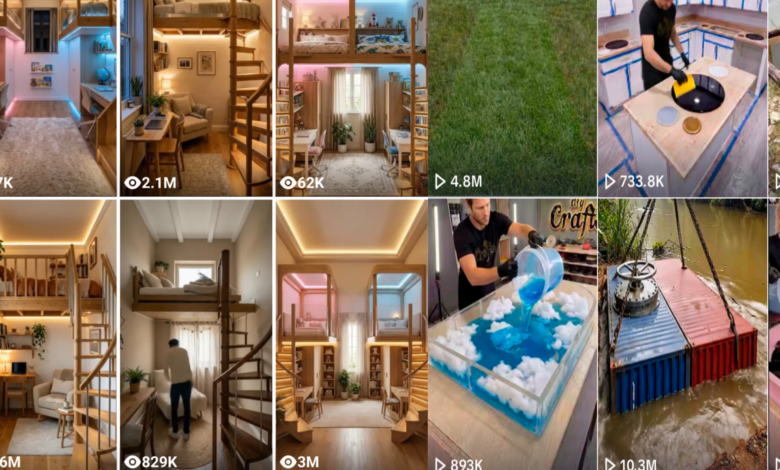
Room transformation videos are some of the most satisfying and viral content online. Viewers love watching a dull, empty room turn into a beautiful luxury interior in just a few seconds.
With modern AI tools, you can now generate cinematic room renovation time-lapse videos automatically without being a professional designer or video editor.
In this guide, you will learn how to create room transformation time-lapse videos using AI with tools like ChatGPT, Gemini, Google Flow, and CapCut.



By the end of this tutorial, you will know how to generate before-and-after room transformations and convert them into professional AI videos.
What Is a Room Transformation Time-Lapse Video?
A room transformation time-lapse video is a short cinematic sequence that shows a room changing from an unfinished or damaged state into a fully designed luxury interior.
The transformation usually includes three stages:
- Before Renovation – the room appears empty, old, or unfinished
- Renovation Process – construction work and installation of materials
- Final Luxury Result – the completed room with high-end design
AI allows you to create these scenes automatically using prompts and convert them into smooth time-lapse style videos.
AI Tools You Need
To create a room transformation video with AI, you will need four main tools.
- Prompt Generator
Use ChatGPT to generate luxury design concepts, image prompts, and video prompts automatically. - AI Image Generator
Use Gemini to generate the three key images of the renovation process.
These images will represent the beginning, middle, and final stages of the transformation. - Image-to-Video Generator
Use Google Flow to turn the generated images into short cinematic time-lapse video clips. - Video Editing Tool
Finally, use CapCut to combine the clips into one complete room transformation video.
The AI Room Transformation Master Prompt
Copy the prompt below and paste it into ChatGPT to automatically generate luxury room transformation prompts
Step-by-Step: Creating the Transformation Images
Step 1: Paste the Master Prompt
Paste the master prompt into ChatGPT.
ChatGPT will generate 15 luxury room design concepts.
Step 2: Choose a Design
Reply with the number of the design concept you prefer.
ChatGPT will generate:
Image Prompt 1
Image Prompt 2
Image Prompt 3
Video transition prompts
Step 3: Generate the First Image
Copy Image Prompt 1 and paste it into Gemini.
This will generate the initial room condition image.
Download the image.
Step 4: Generate the Renovation Image
Upload the first image into Gemini and paste Image Prompt 2.
This will generate the room under renovation.
Download the image.
Step 5: Generate the Final Luxury Room
Upload the first image again and paste Image Prompt 3.
Gemini will generate the final completed luxury interior.
Download the image.
How to Turn the Images into a Time-Lapse Video
Create the First Video Transition
Open Google Flow and select Frame to Video.
Upload:
Image 1
Image 2
Paste the first video prompt and generate the video.
Download the clip.
Create the Second Video Transition
Repeat the same process using:
Image 2
Image 3
Paste the final video prompt and generate the second clip.
Download it.
Combine the Clips into One Video
Open CapCut.
Import both clips and combine them into a single video.
You can also add:
background music
smooth transitions
color adjustments
Export the final room transformation video.
Why AI Room Transformation Videos Go Viral
Room renovation time-lapse videos attract millions of views because they show:
- dramatic before-and-after transformations
- satisfying renovation progress
- luxury interior design inspiration
These videos perform extremely well on platforms like YouTube Shorts, Facebook Reels, TikTok, and Instagram Reels.
Final Thoughts
Creating room transformation time-lapse videos with AI is now easier than ever. By combining tools like ChatGPT for prompts, Gemini for image generation, and Google Flow for animation, you can produce professional renovation videos in minutes.
Experiment with different luxury styles, materials, and room types to create unique transformation content that viewers love.