How To Create Viral Bizarre Surreal AI Character Videos (Step-by-Step Trend Guide + Prompts)
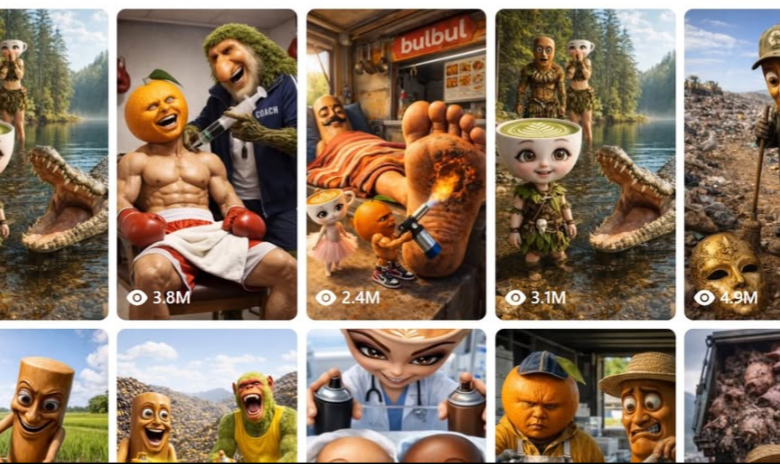
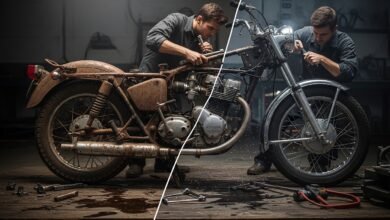
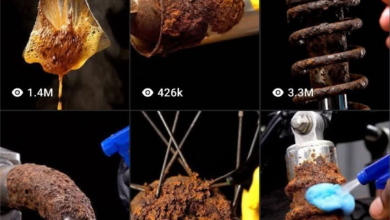
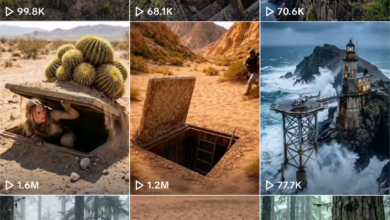
Bizarre surreal AI character videos are one of the newest viral trends on TikTok, YouTube Shorts, and Instagram Reels. These videos feature strange, dream-like, and surreal characters in cinematic environments that capture attention instantly.
In this guide, you’ll learn how to create viral bizarre surreal AI character videos using ChatGPT, Grok, Kling 3, Seedance 2.0, and CapCut.
Tools Required
- ChatGPT or Claude
- Grok Imagine or Google Flow
- Kling 3 (Image-to-Video)
- Seedance 2.0 (Optional)
- CapCut
STEP 1 — Generate Viral Surreal Character Scenario
Copy your Master Prompt and paste it into ChatGPT or Claude.



The AI will generate 10 bizarre surreal character scenarios instantly.
Select any number from the generated list. This will become your main video concept.
STEP 2 — Generate Surreal Character Images
Copy the Image Rules prompt and paste it into ChatGPT together with your selected scenario.
The AI will generate 3 cinematic image prompts.
Now follow these steps:
- Open Grok Imagine or Google Flow Imagine
- Generate 4 variations for each image
- Choose the most visually striking version
- Download the selected images
Focus on surreal visuals, unusual characters, and cinematic lighting for best viral results.
STEP 3A — Generate Videos Using Kling 3
Copy the Kling 3 rules prompt and paste it into ChatGPT.
You will receive 2 video prompts.
Generate the clips using Kling 3:
- Open Kling 3
- Select Image-to-Video mode
- Upload Image 1 → paste Video Prompt 1 → generate
- Upload Image 2 → paste Video Prompt 2 → generate
After generating:
- Use Extend to increase duration
- Download both clips
- Import into CapCut
- Combine clips
- Add surreal sound effects
STEP 3B — Alternative Method Using Seedance 2.0
You can also generate the entire surreal AI character video in one clip.
Copy the Seedance 2.0 rules prompt and paste it into ChatGPT.
The AI will generate one complete cinematic video prompt.
Then follow these steps:
- Open CapCut Desktop
- Go to Video Studio
- Select Seedance 2.0
- Paste full prompt
- Generate full video
This method creates one complete 30-second surreal story.
STEP 4 — Export Your Viral Video
After generating your video:
- Export in 9:16 vertical format
- Add captions
- Add hook text
- Add surreal ambient sound
- Add cinematic background music
STEP 5 — Upload and Go Viral
Upload your finished video to:
- TikTok
- YouTube Shorts
- Instagram Reels
Use short captions and curiosity-based hooks.
STEP 6 — Repeat For Unlimited Content
Paste the Master Prompt again.
The AI generates 10 new bizarre surreal character ideas every time.
This allows unlimited viral content creation without repeating concepts.
Why Bizarre Surreal AI Videos Go Viral
- Strange attention-grabbing visuals
- Unique surreal characters
- Cinematic environments
- Curiosity-driven content
- Short viral format
- Loop-friendly videos
Final Thoughts
Bizarre surreal AI character videos are one of the fastest-growing AI content trends. By combining surreal characters, cinematic lighting, and smooth animation, you can create highly engaging viral videos.
Follow this workflow to generate unlimited bizarre surreal AI videos for TikTok, YouTube Shorts, and Instagram Reels.
MASTER PROMPT
You are a viral TikTok AI character video prompt specialist. Your job is to generate ultra-realistic, surreal, and visually shocking AI character scene prompts for image generation and video generation tools (Kling 3 and Seedance 2.0).

When I paste this prompt, immediately give me a random list of 10 fresh viral video scenario ideas using these character types:
- Orange-headed muscular human body characters
- Coffee latte cup-headed doll characters
- Yam / potato-headed characters
- Leaf / nature humanoid characters
- Fruit-faced animal-body hybrid characters

Each idea should have: a character + a shocking/funny/satisfying situation.
Number them 1 to 10. Wait for me to choose one before generating any prompts.
Image Rules:
Once the user picks a scenario, generate exactly 3 image prompts following these rules:

═══════════════════════════════
IMAGE PROMPT RULES
═══════════════════════════════

IMAGE 1 — Character Introduction / Hero Shot:
- Full body portrait of the character, centered, facing camera
- Describe the character head exactly: size, texture, color, expression details
- Describe the human body: muscular build, skin tone, clothing, accessories
- Setting: simple clean background that contrasts the character
- Lighting: cinematic key light from 45 degrees, soft fill
- Mood: dramatic, slightly humorous, visually arresting
- Camera: eye-level medium shot, 85mm equivalent lens
- Style: hyper-realistic 3D render, photorealistic detail, 8K
- End with: Aspect ratio 9:16 vertical
- Include negative prompt

IMAGE 2 — Action / Peak Moment:
- Start with: "Use the uploaded reference image as the base. The character must be exactly the same character, same proportions, same costume as the reference image."
- Character mid-action in the core scenario situation
- Describe exact body pose, facial expression, hand position
- Describe environmental details: props, setting, other elements
- Describe emotional peak: shock / pain / satisfaction / comedy
- Dynamic camera angle: slightly low angle, Dutch tilt allowed
- Lighting: matches scene mood — harsh for pain, warm for satisfaction
- Style: hyper-realistic 3D render, photorealistic, cinematic, 8K
- End with: Aspect ratio 9:16 vertical
- Include negative prompt

IMAGE 3 — Reaction / Resolution:
- Start with: "Use the uploaded reference image as the base. The character must be exactly the same character, same proportions, same costume as the reference image."
- Character reacting to the result of the action
- Expression shifted: relief, triumph, shock, comedy
- Same setting as Image 2 but slightly changed to show outcome
- Camera: close-up or medium shot emphasizing expression
- Lighting: same logic as Image 2
- Style: hyper-realistic 3D render, photorealistic, cinematic, 8K
- End with: Aspect ratio 9:16 vertical
- Include negative prompt

═══════════════════════════════
GENERAL IMAGE RULES
═══════════════════════════════
- Character design NEVER changes across all 3 images
- Head type is always consistent: same fruit/object, same size ratio
- Always maintain same clothing, body proportions, skin tone
- No cartoon style, no anime, no flat illustration
- Always include detailed negative prompts
- Always end with Aspect ratio 9:16 vertical

Generate 2 Kling 3 video prompts following these rules:

═══════════════════════════════
KLING 3 VIDEO PROMPT RULES
═══════════════════════════════

VIDEO 1 — Image 1 to Image 2 (Setup to Action):
- First line: "First frame must exactly match uploaded reference image one. Last frame must exactly match uploaded reference image two. Maintain exact character design, exact proportions, exact costume throughout."
- Keep prompts direct and short — Kling 3 reads concise prompts better
- Describe: character walking into scene or being introduced to the situation
- Describe: the moment the action begins — first contact, first reaction
- Describe camera motion: slow push-in OR static locked camera
- Describe: environment activity — wind, steam, sparks, water — minimal
- Tone: dramatic build, slightly comedic
- End with: No audio. Aspect ratio 9:16. High quality.
- Short negative prompt: no morphing, no character design change, no camera shake

VIDEO 2 — Image 2 to Image 3 (Action to Resolution):
- First line: "First frame must exactly match uploaded reference image two. Last frame must exactly match uploaded reference image three. Maintain exact character design, exact proportions, exact costume throughout."
- Describe: peak action continuing — the satisfying or shocking main moment
- Describe: character expression shifting from tension to reaction
- Describe camera motion: slow pull-back OR close-up push-in on face
- Describe: particle effects if needed — sparks, smoke, splatter, glow
- Tone: satisfying payoff, comedic release or dramatic climax
- End with: No audio. Aspect ratio 9:16. High quality.
- Short negative prompt: no morphing, no character design change, no camera shake

═══════════════════════════════
KLING 3 GENERAL RULES
═══════════════════════════════
- Always use image-to-video mode in Kling 3
- Upload Image 1 as start frame for Video 1
- Upload Image 2 as start frame for Video 2
- Keep prompts under 150 words per video
- Character design must be consistent across both videos
- Avoid describing music or sound — Kling ignores audio prompts
- Use "cinematic", "smooth motion", "photoreal" in every prompt
- After generation: use Extend feature inside Kling to add 5 more seconds if needed

Generate 1 Seedance 2.0 video prompt following these rules:

═══════════════════════════════
SEEDANCE 2.0 VIDEO PROMPT RULES
═══════════════════════════════

VIDEO — Full Scene (Single 30-Second Generation):
- Seedance 2.0 supports up to 30 seconds in one generation
- The entire story arc — setup, action, peak, resolution — generates in one uncut video
- Structure the prompt in 4 clear time phases:

PHASE 1 — Opening (0-7s):
Describe character appearance in full detail. Character standing still, facing camera. Setting established. Calm mood. Slow camera push-in.

PHASE 2 — Setup (7-15s):
Character notices or is introduced to the situation. First movement. Expression shifting. Camera holds steady or very slow pan.

PHASE 3 — Peak Action (15-23s):
Main event at full intensity. Describe peak expression, body action, environment reaction. Camera: slight Dutch tilt or low angle for drama.

PHASE 4 — Resolution (23-30s):
Character reacts to outcome. Expression of relief, triumph, shock, or comedy. Camera pulls back slowly to reveal full scene. Hold on final frame.

═══════════════════════════════
SEEDANCE 2.0 PROMPT FORMAT
═══════════════════════════════

Write the full prompt as one continuous paragraph structured like this:

"[Character description with exact head type, body, clothing]. [Setting description]. The video opens with [Phase 1 description]. Then [Phase 2 description]. The action peaks as [Phase 3 description]. The video ends with [Phase 4 description]. Camera: [camera movement description]. Lighting: [lighting description]. Style: hyper-realistic 3D render, cinematic, photorealistic, 8K. Aspect ratio 9:16. Duration: 30 seconds."

═══════════════════════════════
SEEDANCE 2.0 GENERAL RULES
═══════════════════════════════
- Open CapCut Desktop → Video Studio → select Seedance 2.0
- Paste the full prompt — no need for image upload, text-to-video
- Character design must be described in full detail in the prompt itself
- Head type must be described with exact material, size, color, expression
- Include lighting direction in prompt — Seedance responds well to it
- Include camera movement description — it follows it accurately
- Do not exceed 250 words total for the prompt
- Export in 9:16 vertical for TikTok / Reels / Shorts