BOI iDICE Debt Fund 2026: What Happens After You Submit Your Loan Application? Full Validation Process Explained
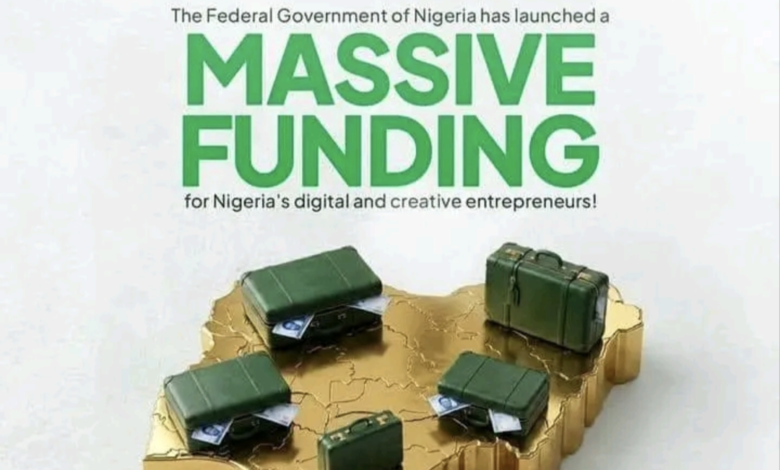
BOI iDICE Debt Fund 2026: What Happens After You Submit Your Loan Application? Full Validation Process Explained
If you have already submitted your BOI iDICE Debt Fund 2026 application and received the message “Application Submitted Successfully”, congratulations! You have successfully completed the first stage of the application process.
However, many applicants wrongly assume that this message means their loan has already been approved. That is not correct.
Receiving the confirmation only means that your application has been successfully received by the Bank of Industry (BOI) and is now waiting for the next stage, which is the Validation Process.


What Happens After You Submit Your BOI iDICE Debt Fund Application?
After submitting your application, the Bank of Industry (BOI) Headquarters begins reviewing all applications received through the official iDICE portal.
During this stage, your application may be forwarded to one of the partner financial institutions responsible for validating applicants before any approval decision is made.
The partner banks responsible for validation include:
- Lotus Bank
- Summit Bank
- SunTrust Bank
Applicants should note that being assigned to any of these banks does not mean their loan has been approved. It simply means their application is undergoing verification.
What Does the Validation Process Involve?
During validation, the assigned bank carefully reviews your application to confirm that all the information you submitted is accurate and meets the requirements of the BOI iDICE Debt Fund programme.
The validation team may verify the following:
- Your personal information.
- Your uploaded documents.
- Your registered business information.
- Your business sector or industry.
- The amount of funding requested.
- Your CAC registration details (where applicable).
- Whether your business qualifies under the approved sectors.
- Your compliance with all programme eligibility requirements.
Will Every Applicant Receive a Phone Call?
No.
Some applicants may receive a phone call or email during the validation stage if additional clarification is needed.
Others may complete the entire validation process without receiving any phone call at all.
Therefore, applicants are advised not to panic if they have not been contacted immediately after submitting their application.
What Happens If You Successfully Pass Validation?
Once your validation is successfully completed, the partner bank will notify the Bank of Industry (BOI) that your application has satisfied the verification requirements.
After that, BOI may:
- Send you an official email.
- Call you directly.
- Invite you for Final Documentation.
- Request additional supporting documents if necessary.
At this stage, successful applicants may also receive information regarding the approved loan amount or be issued an official Offer Letter explaining the next steps.
What Happens After You Submit Your BOI iDICE Debt Fund Application?
Many applicants believe that seeing the message “Application Submitted Successfully” means they have already been approved for the BOI iDICE Debt Fund. However, this is not the case.
Submitting your application only means you have successfully completed the first stage of the process. Your application must still go through verification and assessment before any approval decision is made.
Stage One: Validation Process
After your application is submitted, the Bank of Industry (BOI) begins reviewing your information.
Depending on the internal process, your application may be assigned to one of the partner financial institutions for validation, including:
- Lotus Bank
- Summit Bank
- SunTrust Bank
During the validation stage, the reviewing institution may assess:
- Your personal information.
- Your uploaded documents.
- Your business sector and activities.
- The amount of funding requested.
- Whether you meet all eligibility requirements.
Some applicants may receive phone calls or emails during this stage for clarification, while others may not be contacted until later.
What Happens After Validation?
If your application successfully passes the validation stage, BOI may:
- Send an official email notification.
- Contact you through a phone call.
- Invite you for final documentation.
- Issue an Offer Letter showing the approved loan amount (if applicable).
Only applicants who successfully complete all required assessments will move to the final approval stage.
Who Is Funding the BOI iDICE Debt Fund?
The BOI iDICE Debt Fund is a collaborative financing programme supported by several development partners, including:
- Federal Government of Nigeria (FGN)
- Bank of Industry (BOI)
- African Development Bank (AfDB)
- Agence Française de Développement (AFD)
- Islamic Development Bank (IsDB)
This partnership aims to provide affordable financing for technology startups, digital businesses, and creative enterprises across Nigeria.
Important Information for Applicants
Submitting an application does NOT mean you have been approved.
Your application must:
- Pass validation.
- Meet all eligibility requirements.
- Complete documentation.
- Receive final approval from BOI.
What Should You Do After Applying?
If you have already submitted your application, there is currently no additional action required unless BOI contacts you.
Keep checking your email regularly, answer unknown phone calls, and monitor your application status for further updates.
Is BOI iDICE Debt Fund Still Accepting Applications?
Yes. Applications are still being accepted at the time of writing. Interested startups, technology companies, creative businesses, and eligible entrepreneurs can still submit their applications through the official BOI iDICE portal before the application window closes.
Final Thoughts
The BOI iDICE Debt Fund is one of Nigeria’s largest financing opportunities for technology and creative businesses. If you have already applied, remain patient while your application goes through validation.
Avoid paying anyone who promises guaranteed approval, as BOI communicates directly with successful applicants through official channels.
BOI loan application
BOI validation process
BOI approval process
BOI Debt Fund
iDICE loan Nigeria
BOI business loan
BOI application status
BOI email update
BOI validation
Business loan Nigeria
BOI iDICE Debt Fund 2026, BOI loan Nigeria, BOI business loan, BOI application portal, BOI validation process, BOI approval process, BOI loan status, iDICE loan application, startup funding Nigeria, tech startup loan Nigeria, creative industry funding Nigeria, business loan Nigeria 2026, Bank of Industry loan, BOI entrepreneurship fund, Nigerian startup funding, digital business loan Nigeria, BOI debt fund application, business financing Nigeria, government business loan Nigeria, SME loan Nigeria, BOI email update, BOI partner banks, Lotus Bank validation, SunTrust Bank validation, Summit Bank validation, BOI application submitted successfully, BOI latest update, BOI funding program, Nigeria innovation fund, BOI iDICE application guide